
Ludic Field v0.2 release
TTRPGs live on our free time, and as we grow up, on stolen time: evenings and weekends. Running a game takes time. Gathering friends, prepping the game, keeping notes. Tools should respect that time. Ideally they should remove prep time so we can use that time to actually play. That is the mindset behind Ludic Field.
Since the last stable build, the project has grown
- from 8,640 lines of code in 30 files
- to 14,553 lines in 100 files.
That is about 68% more stuff keeping this viewer alive. On top of that, it now sits on about 630,000 lines of open source code. So part of this release was simply me making sure it stays tidy enough to keep shipping.
This update gives you:
- New: multiple map support
- New: more verticality through airshaft networks
- New: clearer, in-place visual options
- and a performance pass so all of that still loads fast in a browser
Now the fun part.
1. Maps and navigation
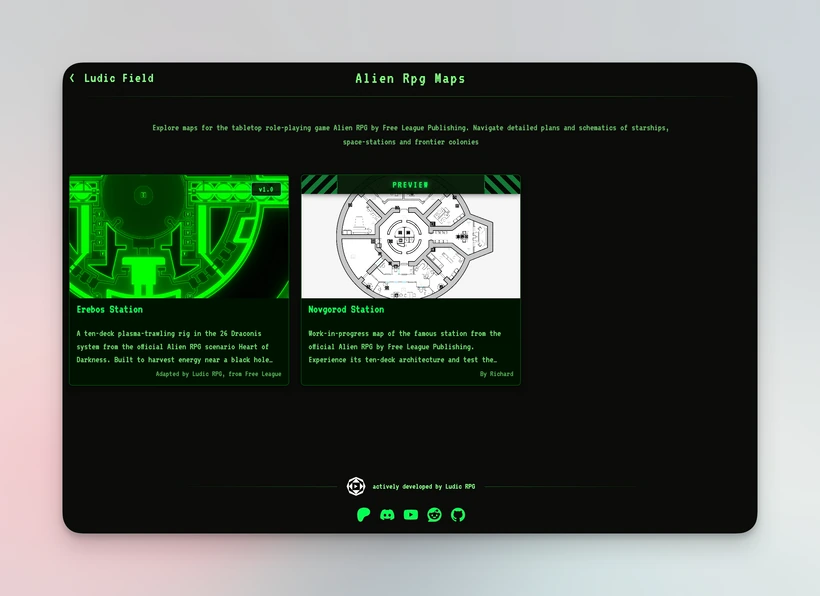
You run more than one location. So the viewer now runs more than one location.
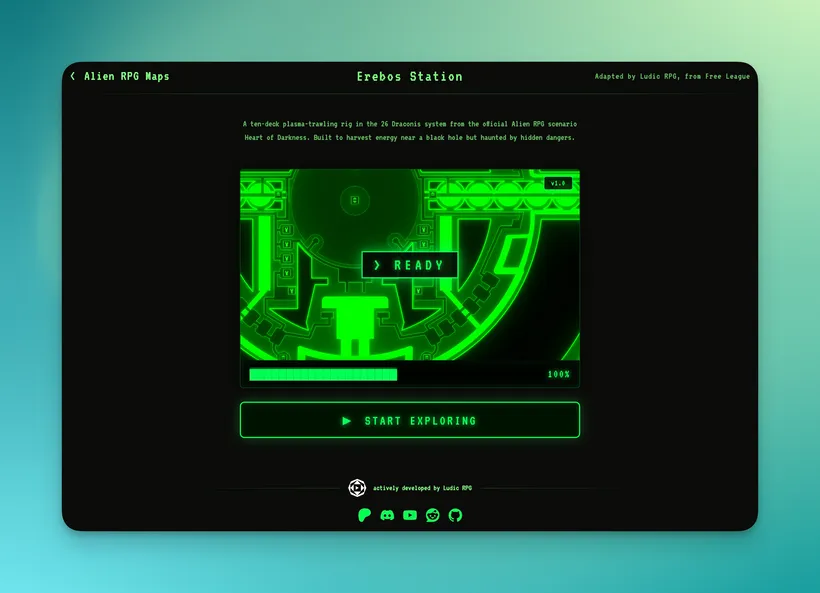
Ludic Field now loads Erebos, the new Novgorod station preview, and a big test layout (not released yet). Once there is more than one map, the navigation cannot be “good luck, it is somewhere.” So I made the path explicit.
- New: Homepage
- New: Map selection
- Map viewer
Yes, that is technically one more click. So I gave you something in return. The map viewer page is now shareable. If you want people to see Erebos, you just send the link and they arrive inside Erebos. No “open the app, go to maps, pick the second one.”
That way the UI can be a bit cleaner without wasting your time.
2. Viewer interface and style
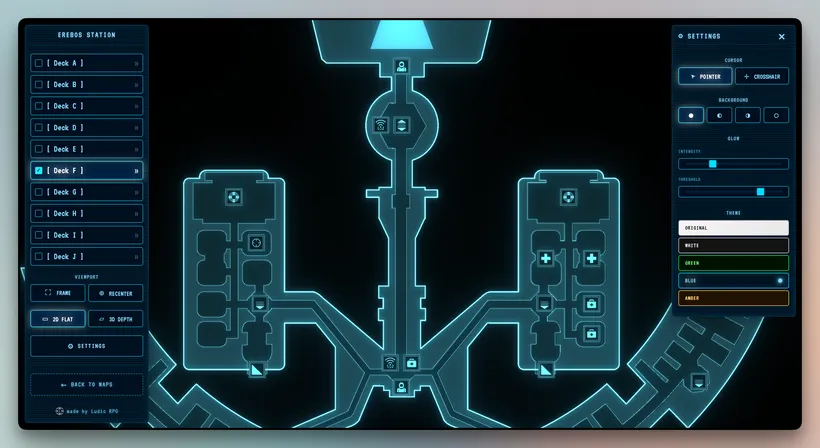
The map viewer now has two panels because you actually do two things in there.
- You move between floors or decks
- You tweak how things look
So:
- the Levels panel is for navigation, plus a couple of small quality of life buttons like reset zoom and recenter
- New: the Settings panel is for style
In Settings you now have more control.
- New: Original theme keeps the map exactly as it was authored. Same colors, same line work, same intent. The viewer does not decide a “better” palette for you. I wrote more about that small WebGL rabbit hole.
- New: Glow can be adjusted. You choose what glows and how strong it glows. Sometimes you want subtle. Sometimes you want “this is the airshaft, please look here.”
- New: Background can go from pitch black for OLED or moody tables to pure white for print friendly screenshots. There are a few steps in between to avoid eye strain.
Press Escape and both panels disappear: full immersion with only the map on screen.
Click Settings to bring it back when you want to tweak.
This is small, but it makes the viewer feel like a tool and not a demo.
3. More vertical gameplay
This is the big feature.
Top down 2D maps are good at clarity and bad at height. Which is fine for a single floor. It is less fine for sci-fi corridors, maintenance access, ceiling vents or people or creatures who like to come from above. One of my players is obsessed with vertical routes, so after failing the first 3D air duct attempt, I wanted the viewer to finally show them clearly.
The viewer now understands two kinds of airshafts:
- New: overhead airshafts that go above the current level
- New: underfloor airshafts that go below it
In 2D you hover an airshaft and the viewer shows the path through the structure. You do not need to remember which PDF page it links to.
If you need more context, you expand it in 3D and you get a simple spatial view. Not a full 3D engine. Just enough to see “this floor is here, this one is there, the shaft connects these two.”
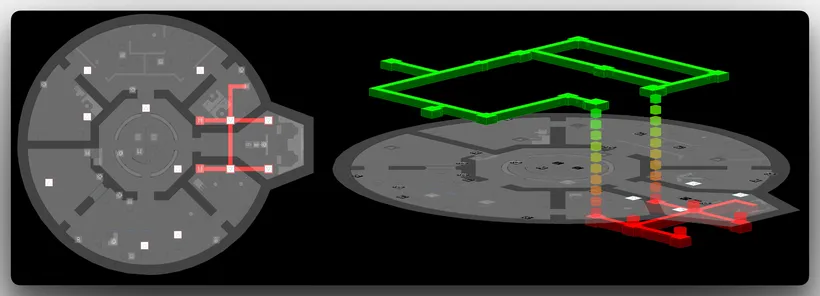
Overhead and underfloor shafts can also be linked. Which means you can show a maintenance passage that starts under the floor in level 1 and exits in the ceiling in level 3. If you map starships, research sites, industrial facilities or secret basements inside office buildings, this is the kind of vertical access you want.
Now it is visible.
4. Performance and compression
This still runs in the browser, so I cannot just throw giant files at you and expect everyone to have a NASA computer with terabyte bandwidth. This version changes how maps are prepared so they arrive ready to render. Every map goes through a short pipeline that I made smaller everywhere it was possible. Because “compression” sounds technical, here is what it actually means.
1. Do not keep precision we do not use
The maps are stored as vector data. Lot of points with coordinates to make it simple. Often comes with a lot of decimal places, like
123.456789.
For what Ludic Field shows, we do not need that much precision. We are not doing engineering drawings. We are displaying floors, connections and airshafts at a readable scale.
So I round it to something lighter:
123.456789 → 123.46
Doing this on thousands of points usually cuts that part of the data by about 40% to 50%.
2. Make the paths lighter
A lot of map geometry is just sequences of points. The old way is to store every point fully:
100, 200 → 101, 201 → 102, 199
The viewer does not need that. It can understand “start here, then move like this.” So I now store the first point, then only the movement:
100, 200 → +1, +1 → +1, −2
On screen you get the same line. In the file it is less to store and less to send.
3. Pack the rest efficiently
After that I remove data the viewer does not use, store what is left in a binary format instead of text, and let normal web compression reduce it further.
What does that give in real life?
- Novgorod, with 2 decks, ends up around 163 KB
- Erebos is a bit larger than before, but loads 4 to 6 times faster because the viewer does not have to parse and rebuild it.
So even if the file is bigger on disk, it can still be faster to use when it arrives prebuilt.
That is the kind of performance I care about. And it matters even more because you do not have to download or install an application or log into anything. Running in the browser keeps it accessible for every GM, and it keeps it simple and fast.
In the end
Everything connects back to time. Play time and build time. Our time to explore a location without fighting the tool.
Performance is not only about making a number smaller. It is about keeping the flow clean so the time we already set aside actually feels worth it.
I also started drafting a few weirder ideas for the Ludic Field viewer. They will need more time, and they are pure experimentation, so I will show them later.
For now this version should make your maps easier to reach, vertical routes easier to understand, and the whole viewer nicer to live with.